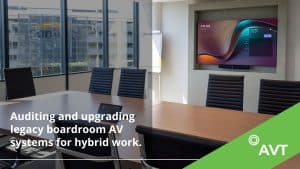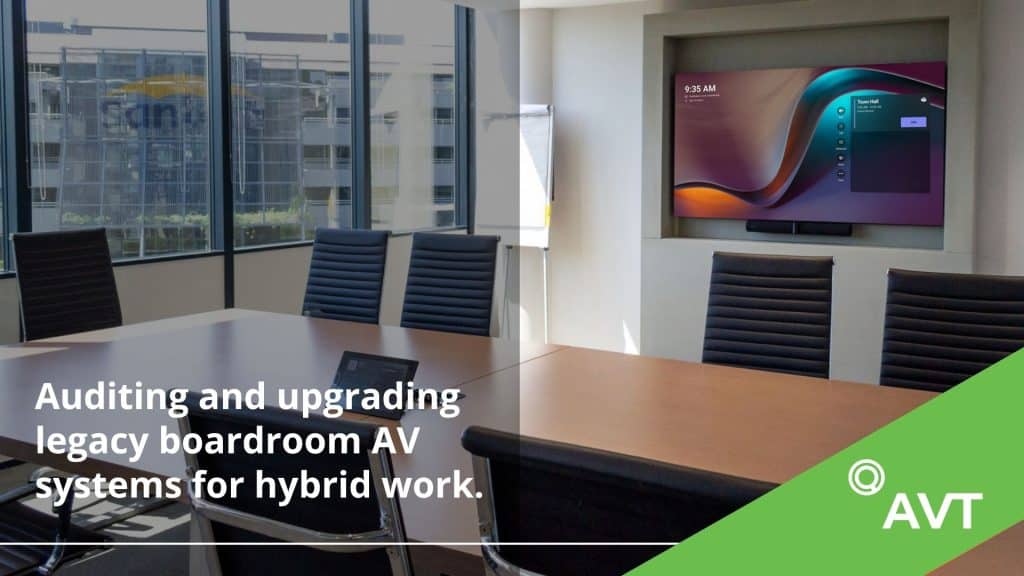
Boardrooms across South Africa and Sub-Saharan Africa have changed considerably over the past few years, even when the technology inside them has not. A room that was originally designed around a large display, conference phone and a few physical connections may now be expected to host executives joining from several offices, run Microsoft Teams or Zoom meetings, share content without cables and connect securely to the corporate network.
For CIOs, IT Directors and Facilities Executives, ageing boardroom AV infrastructure can quickly become an operational problem. Meetings are delayed while somebody finds the right adapter, remote participants struggle to hear conversations at the far end of the table, and internal IT teams are called in to troubleshoot equipment that was never designed for modern hybrid working. In larger organisations, the problem is compounded when every office has accumulated a different combination of cameras, microphones, displays and control systems.
Modernising an enterprise boardroom therefore requires more thought than replacing an old screen or installing a better camera. We approach boardroom upgrades and corporate boardroom systems as part of the wider corporate technology environment, considering the room itself, its existing infrastructure, network requirements, unified communications platforms and the way people actually use the space.
A 6-Point Audit for Modernising Enterprise Boardroom AV
Before recommending how an existing boardroom should be modernised, we assess six areas: audio and acoustics, camera coverage, displays and content sharing, control systems, network and security readiness, and physical cabling infrastructure. These areas are closely connected, which is why assessing equipment in isolation can lead to unnecessary replacements or leave the underlying problem unresolved.
A display that cuts out intermittently, for example, may not need replacing if the actual problem lies with ageing cabling. Poor audio may have more to do with the acoustics of the room than the quality of the microphones, while an unreliable conferencing experience can sometimes be traced to network limitations or an older control system. Looking at the complete environment also allows us to identify equipment that remains suitable and can be incorporated into the modernised system.
1. Audio Coverage and Room Acoustics
Audio is one of the most important considerations in a hybrid boardroom because poor sound immediately places remote participants at a disadvantage. An imperfect camera angle may be manageable, but it is extremely difficult to participate properly when voices are unclear, conversations echo around the room or people at one end of the table cannot be heard consistently.
We assess how sound behaves throughout the space, including reverberation, ambient noise, microphone coverage and the effect of materials such as glass, timber and hard flooring. Air-conditioning systems, room dimensions and seating layouts can all influence the result, particularly in larger executive boardrooms where a single microphone position may not provide adequate coverage.
Existing microphones may remain perfectly suitable in some environments, while other rooms may benefit from ceiling microphone arrays that provide more consistent coverage without placing additional equipment on the table. Technologies such as echo cancellation and full-duplex audio processing can further improve the experience, but the objective remains practical rather than technical: people should be able to speak normally from their seats and be heard clearly by everyone joining remotely.
2. Camera Positioning and Intelligent Video
Video quality involves considerably more than camera resolution. Positioning, viewing angle, field of view, seating layout and the distance between participants and the camera determine whether somebody joining remotely feels part of the discussion or is simply watching a distant view of the room.
During an upgrade, we assess whether existing cameras provide suitable coverage and whether intelligent features such as auto-framing, speaker tracking or multi-camera switching would improve the meeting experience. A single camera may be entirely appropriate for a smaller executive meeting room, whereas a long boardroom table may require a different approach to ensure that speakers can be seen clearly as the conversation moves around the room.
Camera height and angle also deserve attention because they affect how natural communication feels. Where possible, the camera should create something close to normal eye contact rather than forcing remote colleagues to look down on the room from an overhead position. Intelligent video should ultimately help people follow the conversation without constantly reminding them that they are participating through a camera.
3. Displays and Content Sharing
Display requirements should be based on the room and how it is used rather than on screen size alone. We consider viewing distance, seating positions, room depth, resolution and the condition of existing displays before deciding whether they need to be replaced. If an existing display still provides the required image quality and supports the technical requirements of the new system, retaining it may be the more sensible option.
Hybrid boardrooms can benefit from dual-display configurations because they allow remote participants and shared content to remain visible at the same time. A presentation, spreadsheet or dashboard can occupy one display while the people joining remotely remain visible on the other. This prevents the common experience of remote colleagues effectively disappearing from the room as soon as somebody begins sharing their screen.
Content sharing itself should also be uncomplicated. Employees should not have to search for adapters, change several inputs or disconnect the room system simply to display a presentation. Depending on the organisation’s requirements and security policies, wired or wireless content sharing can be integrated into the room so that presenting becomes part of the normal meeting workflow rather than a separate technical exercise.
4. Control Systems and Room Automation
Even excellent AV equipment can deliver a poor experience when the controls are difficult to understand. This often happens in older boardrooms where different components have been added over several years, leaving users with multiple remotes, unfamiliar touch panels or a sequence of steps that only regular users know how to complete.
We assess whether the existing control system can integrate properly with the organisation’s preferred unified communications platform and whether the interface can be simplified. Scheduled meetings can be presented directly on the room controller, while displays, audio and other essential functions can be brought together within a clear interface. For most users, joining a normal meeting should require very little knowledge of the technology operating behind the scenes.
Room automation can extend this further where it provides a genuine practical benefit. Occupancy sensors and control processors can be used to activate displays, adjust lighting or control blinds according to how the room is being used. The important point is that automation should remove steps from the meeting experience rather than introduce another layer of complexity.
5. Network and Security Readiness
Modern enterprise AV equipment increasingly forms part of the corporate IT environment. Meeting room computers, microphones, cameras, displays and control processors may all connect to the network, so they need to be considered as managed endpoints rather than isolated pieces of boardroom hardware.
As part of the modernisation process, we review network availability, bandwidth, Power over Ethernet requirements and the security policies that apply to connected AV devices. Depending on the organisation’s infrastructure, this may involve VLAN isolation, 802.1X authentication, directory integration, encrypted communications and central device management. The exact requirements will differ between organisations, which is why the AV design needs to fit within existing IT governance rather than creating exceptions to it.
This becomes particularly important for businesses managing boardrooms across multiple locations. CIOs and IT teams need to know what is connected to their networks and how those devices are being maintained. Bringing meeting room technology into the wider network and security strategy is therefore an important part of modernising the AV environment for long-term use.
6. Cabling and Physical Infrastructure
Much of the infrastructure responsible for a boardroom’s performance is hidden behind walls, beneath floors or above ceilings. Ageing cables, inadequate pathways and older signal standards can cause display flickering, connection failures, handshake delays and intermittent faults that are often blamed on the visible equipment in the room.
We inspect existing cabling, conduit capacity, connection points and signal requirements before specifying new technology. This is particularly important when an organisation wants to retain some of its existing equipment, because new cameras, displays or conferencing systems still depend on the infrastructure connecting them. Installing modern equipment onto cabling that cannot support it reliably simply moves the problem elsewhere.
The condition of the physical infrastructure also has a significant influence on the scope of the project. A boardroom with suitable pathways and cabling may be modernised through a relatively contained technology upgrade, whereas an older room with inadequate infrastructure may require more extensive work before new equipment can be deployed reliably.
Should You Upgrade or Replace an Existing Boardroom AV System?
Not every legacy boardroom needs to be stripped out and rebuilt. If the displays, cabling and room layout remain suitable, but the conferencing technology is outdated, a targeted upgrade may provide everything required for modern hybrid meetings. This could involve replacing the meeting room computer, upgrading microphones or cameras, integrating Microsoft Teams Rooms or Zoom Rooms and updating the control system while retaining infrastructure that still performs well.
The same principle applies when the weakness is concentrated in one part of the room. If remote participants struggle to hear conversations but the video, displays and control environment are still effective, the priority may be acoustics and microphone coverage rather than an entirely new AV system. This is one of the reasons an audit should come before equipment selection: it allows investment to be directed towards the parts of the environment that are genuinely limiting performance.
A complete redesign becomes more appropriate when several parts of the room have reached the point where they are limiting one another. Ageing cabling, unsupported controls, poor acoustics, older displays and legacy conferencing equipment can eventually make repeated component upgrades difficult to justify. At that point, redesigning the environment around a modern enterprise AV standard can provide a cleaner foundation for future use.
Integrating Microsoft Teams Rooms and Zoom Rooms into Existing Boardrooms
Moving to Microsoft Teams Rooms or Zoom Rooms does not necessarily mean replacing everything already installed in the boardroom. Where displays, cabling and other room infrastructure remain suitable, the conferencing platform can often be introduced while compatible components are retained. Meeting room compute, cameras, microphones and controls can then be upgraded according to what the existing environment actually requires.
Compatibility does need to be assessed carefully. Installing a certified meeting room computer will not by itself resolve poor acoustics, unreliable cabling or a control system that cannot integrate properly with the new platform. The quality of a Microsoft Teams Rooms or Zoom Rooms deployment depends on the surrounding audio, video, network and control environment working with it.
For this reason, we treat unified communications integration as part of the wider boardroom modernisation rather than as a standalone device installation. This provides a better opportunity to solve the practical problems employees experience in the room instead of simply replacing the platform through which the meeting is hosted.
Creating a Consistent Hybrid Meeting Experience Across Multiple Offices
For organisations with several offices, modernising individual boardrooms without an overall standard can create a new version of the problem being solved. Different locations may end up with different cameras, microphones, control interfaces and conferencing configurations, forcing employees to adapt every time they enter another meeting room and leaving IT teams to support various technology environments.
A stronger approach is to establish a repeatable enterprise AV standard covering the preferred conferencing platform, audio requirements, camera coverage, display configuration, room controls, network policies and remote management requirements. Existing rooms can then be brought onto that standard as they are upgraded, while new meeting spaces are designed around the same principles from the beginning.
For organisations operating across South Africa and Sub-Saharan Africa, this consistency can make a significant difference to both users and support teams. The exact equipment may still vary according to room size and purpose, but the way people start meetings, share content and interact with the technology should remain familiar from one location to another.
Centralised Management of Enterprise Boardroom AV
Modernising boardroom AV also creates an opportunity to improve how the technology is supported. In a traditional environment, IT teams often discover that something is wrong only when a user reports a problem shortly before an important meeting. That reactive model becomes increasingly difficult to manage as the number of meeting spaces grows.
Compatible AV systems can be connected to central management platforms that provide greater visibility across the room estate. Depending on the technology deployed, administrators may be able to monitor device health, identify equipment that has gone offline, manage firmware, restart devices remotely and detect developing faults without physically visiting the affected boardroom.
For multi-site organisations, this moves meeting room technology closer to the way other corporate technology is already managed. Instead of every boardroom existing as an isolated installation, IT teams gain a clearer understanding of what has been deployed, its current status and where intervention may be required.
AV as a Service and Ongoing Technology Management
A boardroom modernisation programme also needs to consider what happens after installation. Equipment requires maintenance, software and firmware need to remain current, faults need to be resolved and components will eventually need to be refreshed. Managing these requirements independently across a large room estate can create unpredictable costs and additional administration.
AV as a Service provides an alternative to treating each stage of the technology lifecycle as a separate procurement exercise. Depending on the organisation’s requirements, we can combine equipment, installation, maintenance and ongoing technical support within a managed service arrangement. This can be particularly useful for businesses that want to maintain a consistent AV standard across multiple locations while planning support and future technology refreshes more predictably.
It is not the right commercial model for every organisation, but it can form part of a wider modernisation strategy where long-term consistency and lifecycle management are priorities. The decision should ultimately reflect how the business prefers to fund, manage and support its meeting room technology.
What Should a Modern Enterprise Boardroom Deliver?
The technology required in a six-person executive meeting room will naturally differ from the equipment needed in a large corporate boardroom. What should remain consistent is the experience for the people using those spaces. In-room participants should be able to see and hear remote colleagues clearly, while those joining remotely should be able to follow conversations, see who is speaking and remain part of the meeting when content is being shared.
The room should also be simple to operate. Meetings should start without a complicated setup process, content should be straightforward to share, and the AV environment should fit within the organisation’s network and security policies. Where several offices are involved, IT teams should have appropriate visibility over the connected technology and a manageable way of supporting it.
When these elements are designed together, the technology itself becomes far less noticeable. People can concentrate on the meeting rather than the equipment that makes the meeting possible, which is ultimately what a well-designed hybrid boardroom should achieve.
Modernising Boardroom AV with AVT
Successful boardroom modernisation starts with understanding what the existing room can and cannot do. The objective is not to replace equipment simply because something newer is available, but to identify the weaknesses that prevent the space from supporting modern hybrid work and build the new environment around the organisation’s actual requirements.
We provide enterprise boardroom AV solutions, corporate boardroom systems, video conferencing integration, room automation and managed AV services for organisations across South Africa and Sub-Saharan Africa. Our approach considers the complete environment, from room acoustics and existing infrastructure to unified communications, network requirements and ongoing management. Where existing equipment remains suitable, we can incorporate it into the upgraded environment rather than assuming that modernisation requires a complete replacement.
From the initial boardroom AV audit and system design through to equipment staging, installation, programming, commissioning and ongoing support, our focus is on creating meeting spaces that remain reliable and straightforward to use. The result should be a boardroom designed around how people now work, with technology supporting the conversation rather than becoming part of it.
Frequently Asked Questions
What should be included in an enterprise boardroom AV audit?
An enterprise boardroom AV audit should assess room acoustics and audio coverage, camera positioning and intelligent video capabilities, display requirements, control system compatibility, network and security readiness, and existing cabling infrastructure. These areas need to be considered together because a problem with one part of the room can affect the performance of another. A thorough assessment also helps establish which existing components can be retained and where investment in new equipment is genuinely required.
How do you integrate video conferencing into an existing boardroom without replacing everything?
Partial integration is possible when the existing cable infrastructure and display hardware meet minimum quality thresholds. In these cases, a certified video conferencing appliance or compute device can be added to the room and connected to existing displays and speakers, with new certified cameras and microphones replacing only the peripherals that fall below standard. The critical requirement is that the new compute device carries certification for the organisation’s chosen platform, such as Microsoft Teams Rooms or Zoom Rooms, and that the control system can be reprogrammed or replaced to manage the new components. Network configuration must also be updated to support the new endpoint. A professional integrator will assess which existing components are reusable and which must be replaced, producing a hybrid integration plan that balances cost against performance. This approach can significantly reduce project cost compared to a full room replacement while still delivering a reliable hybrid meeting experience.
What are the measurable benefits of upgrading boardroom AV systems for hybrid work?
Upgrading corporate boardroom systems for hybrid work may deliver measurable improvements in meeting start-up time, remote participant engagement and overall meeting productivity. Organisations that replace legacy audio systems with distributed microphone arrays and echo cancellation typically report that remote attendees can follow conversations without asking for repetition, which reduces meeting duration and improves decision quality. Beyond meeting performance, upgraded systems reduce the frequency of technical support calls related to AV failures, freeing IT staff for higher-value tasks. Boardroom automation systems lower energy consumption by ensuring displays and equipment are powered down after meetings rather than left running. From an ROI perspective, the cost of a failed or degraded executive meeting, in terms of wasted time and reputational impact, often exceeds the cost of the upgrade itself when calculated across a full year of meetings. Organisations with multiple boardrooms may also benefit from centralised monitoring, which reduces the need for on-site technical staff at each location.
What is the difference between a boardroom AV upgrade and a complete redesign?
A targeted boardroom AV upgrade addresses specific limitations while retaining suitable parts of the existing installation. This may involve upgrading cameras, microphones, conferencing technology or room controls while keeping displays and infrastructure that continue to meet requirements. A complete redesign becomes more appropriate when wider issues with cabling, acoustics, legacy equipment and unsupported technology make incremental upgrades impractical or unlikely to deliver a reliable result.
What ongoing support options are available after a boardroom AV upgrade?
After a boardroom AV upgrade, organisations can access support through onsite technical support plans, remote monitoring agreements and scheduled preventive maintenance visits. Service level agreements define response times for fault resolution, typically categorised by severity, so that a complete room failure receives a faster response than a minor peripheral issue. We provide 24/7 technical support as part of its managed service offering, which includes remote diagnostics, firmware update management and proactive health monitoring of connected room systems. For organisations that prefer not to manage AV infrastructure internally, a fully managed service transfers responsibility for system performance to the integrator, with agreed uptime targets and regular reporting. Preventive maintenance visits, typically conducted quarterly or bi-annually, include physical inspection of connections, cleaning of optical components, software updates and verification of platform compatibility following any cloud platform changes. These visits significantly extend equipment lifespan and reduce the likelihood of unexpected failures during critical meetings. Learn more about us.